
Client: Starlight Software Solutions
Date: Sept. 2023
Role: UX/UI Designer, Customize the experience and Hi-fi wires
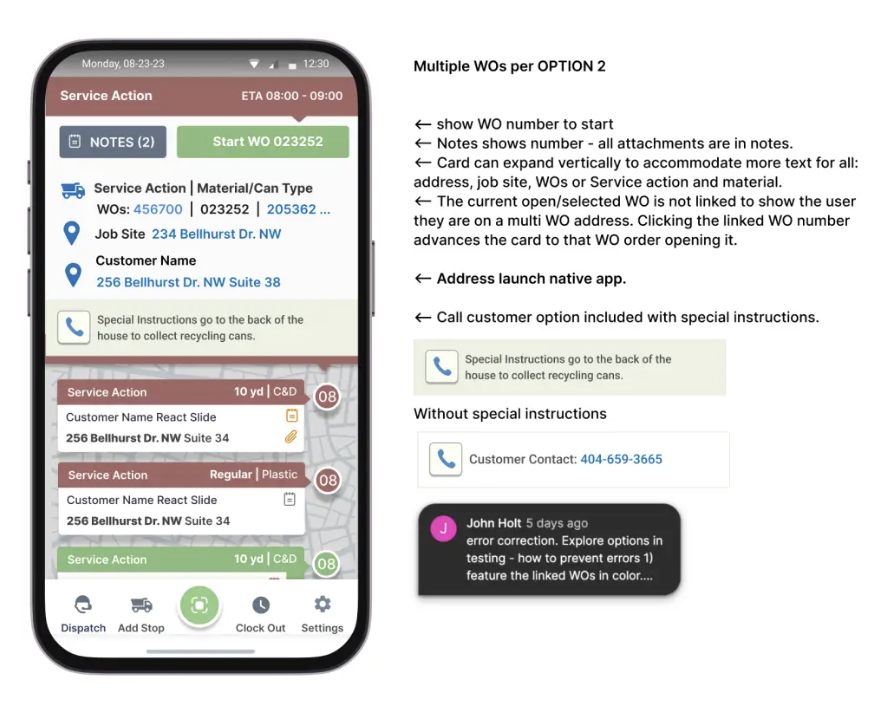
| Project Summary: As the sole UX/UI designer, I was tasked with turning a cluttered interface into an operational command interface. The current system is designed to facilitate efficient dispatch and routing for drivers in a service-based industry. The drivers need to navigate through multiple stops, handle different work orders, and manage interactions with customers while ensuring tasks are completed on time. The goal is to optimize the user experience for drivers, dispatchers, and system admins, ensuring smooth operations and real-time updates on work order statuses. This is a cloud-based waste management and recycling management software. Starlight Software Solutions contacted me after seeing my work for Waste Applications. I was hired as the UX/UI Designer. I started with discovery and research, evaluating the existing legacy application; doing a heuristics evaluation. Additionally, I evaluated user feedback and prepared discovery phase research reports for stakeholders and did user testing using Maze. | The problem: Starlight had a major issue with information hierarchy. This patchwork quilt of updates and customer requests have grown out of control. Suggested Improvements could include:
|
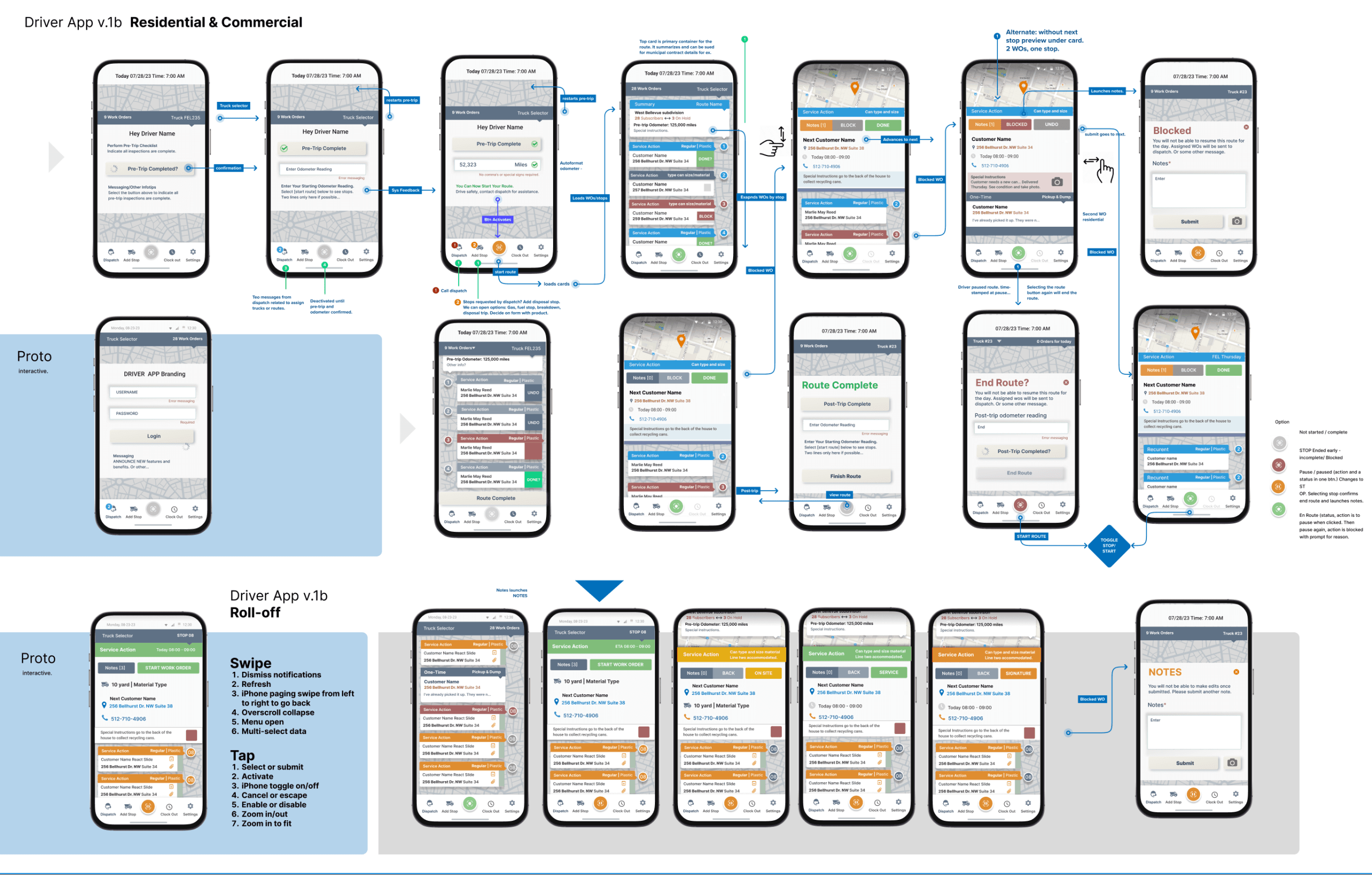
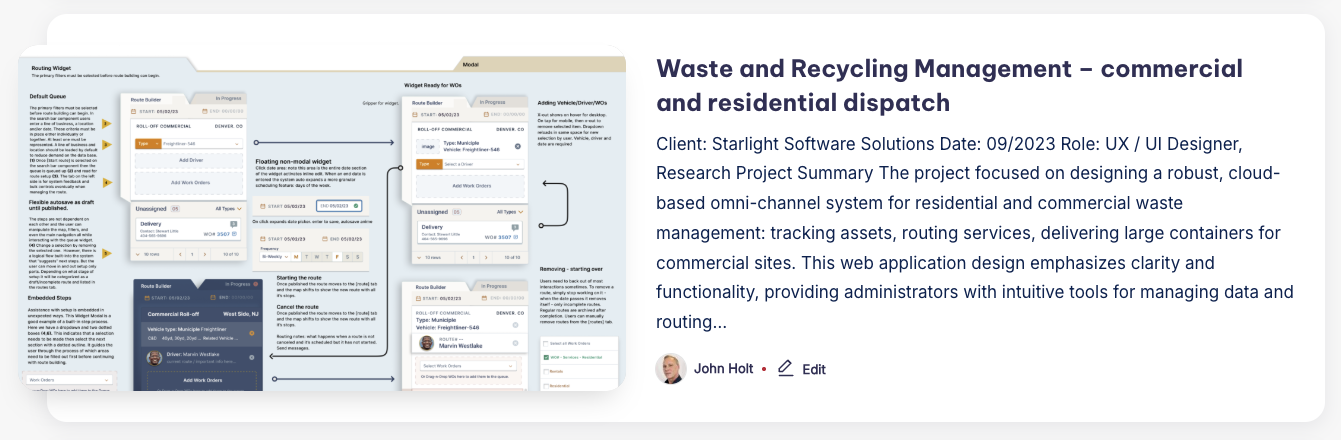
SolutionThis UX solution ensures that both drivers and dispatchers have the tools they need to work efficiently and without confusion. The system provides real-time tracking, dynamic updates, and flexible customization to meet operational needs while focusing on a streamlined, user-friendly interface. Ultimately, this will lead to improved service delivery, higher operational efficiency, and greater user satisfaction. A route is done when all stops are complete. When a WO is started it cannot be stopped, only paused for exceptions. This keeps the work moving while providing oversight to dispatch. Designed specifically for mapping and tracking dispatch and routing services; as well as, providing complete oversight into asset revenue, vehicle performance and account aging with flexible reporting to enhance productivity throughout the application. Internal communications system and auditing. | Key UX Principles:Consistency & Simplicity: Maintain a consistent design language across all interfaces to reduce cognitive load for users. Provide clear, intuitive icons and buttons that are easy to understand and interact with, especially for time-sensitive tasks. Real-Time Feedback: Ensure that drivers and dispatchers receive immediate feedback on their actions, such as confirmation of completed tasks, route changes, and error notifications. Flexibility & Customization: Allow drivers and dispatchers to tailor routes and orders based on specific needs, such as type of truck or work order, while maintaining an organized and clean interface. Contextual Awareness: The system should provide contextual information about the driver’s current location, order status, and upcoming tasks to help users make informed decisions. |
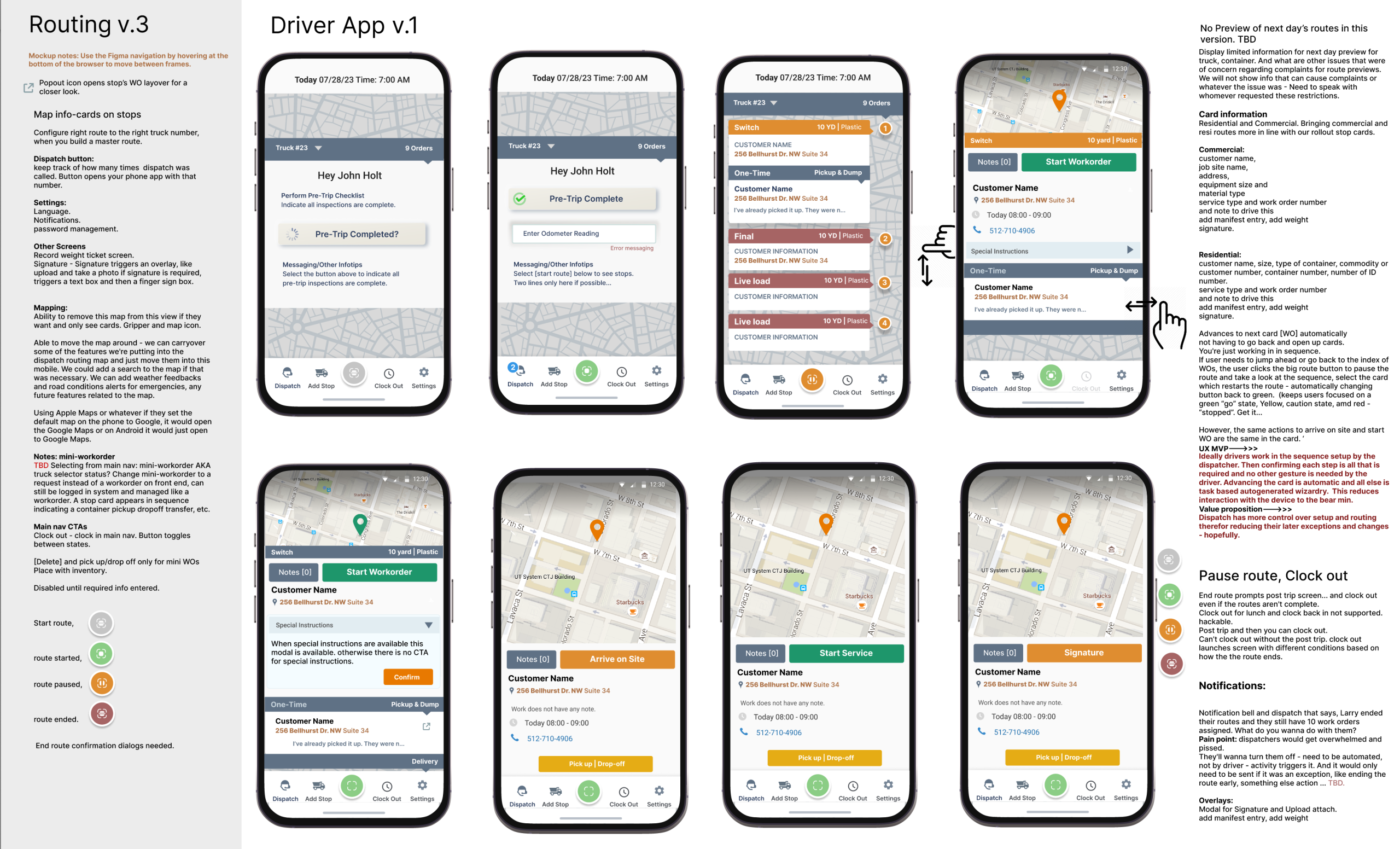
Instant Communication: As drivers mark tasks as completed or skipped, this information is instantly reflected in the system, keeping dispatchers informed in real-time. This reduces the need for back-and-forth calls or messages, improving operational efficiency. Automatic Status Updates: When a driver moves from one task to the next (e.g., from “Arrived on Site” to “Started Service”), the system automatically updates the status of the work order and notifies both the driver and dispatcher. These real-time updates keep all team members aligned on the progress of tasks and any changes in the field. Skip/Error Notifications: If a task is skipped or an issue arises (e.g., due to customer unavailability or missing materials), the app immediately notifies the dispatcher and marks the job as an error or skipped. This keeps everyone on the same page and allows for swift reallocation of resources if needed. Notification System: As jobs progress or encounter issues, the system sends alerts to both drivers and dispatchers. This keeps all stakeholders updated on job statuses, preventing miscommunication and ensuring that work is completed as expected. | In-App Messaging: The app allows drivers to send messages to dispatchers, reporting problems, asking for guidance, or providing additional context. This messaging system ensures that communication is centralized, reducing the need for separate phone calls or external communication tools. Clear Instructions for Next Steps: When issues arise (e.g., a skipped stop), the system not only notifies the dispatcher but also offers context (why the job was skipped) and potential next steps. This enables dispatchers to quickly reassign tasks or make adjustments as needed. Location-Based Updates: The app integrates real-time GPS tracking to ensure that the dispatcher can track the driver’s exact location and monitor their progress along the route. This helps dispatchers to have visibility into where the driver is at any given time, enhancing their ability to communicate with the driver effectively. Route Modifications: If a route needs to be adjusted due to unforeseen circumstances, such as traffic delays, the dispatcher can view the driver’s location on the map and make appropriate modifications to the job assignments in real-time. |
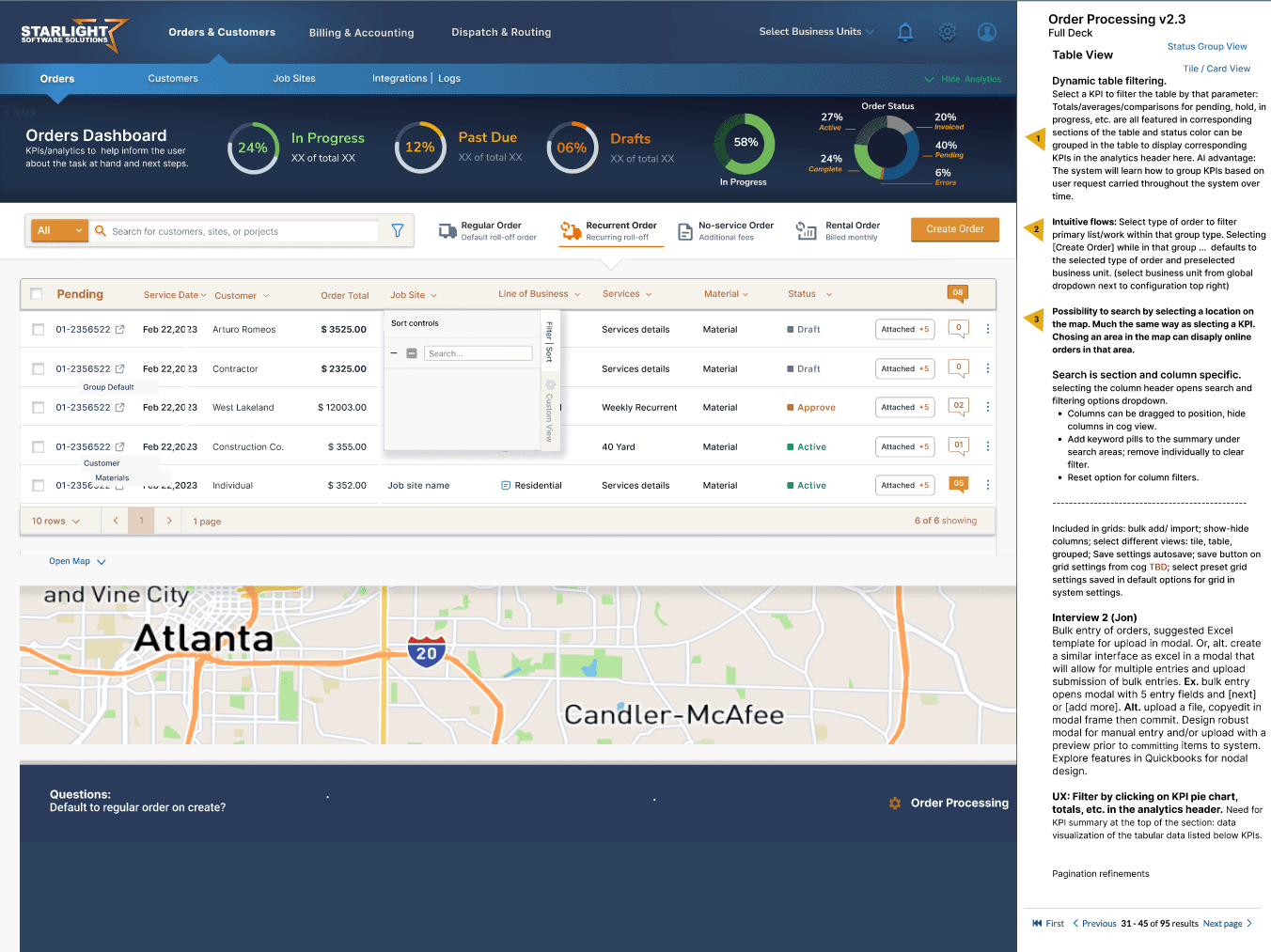
Orders
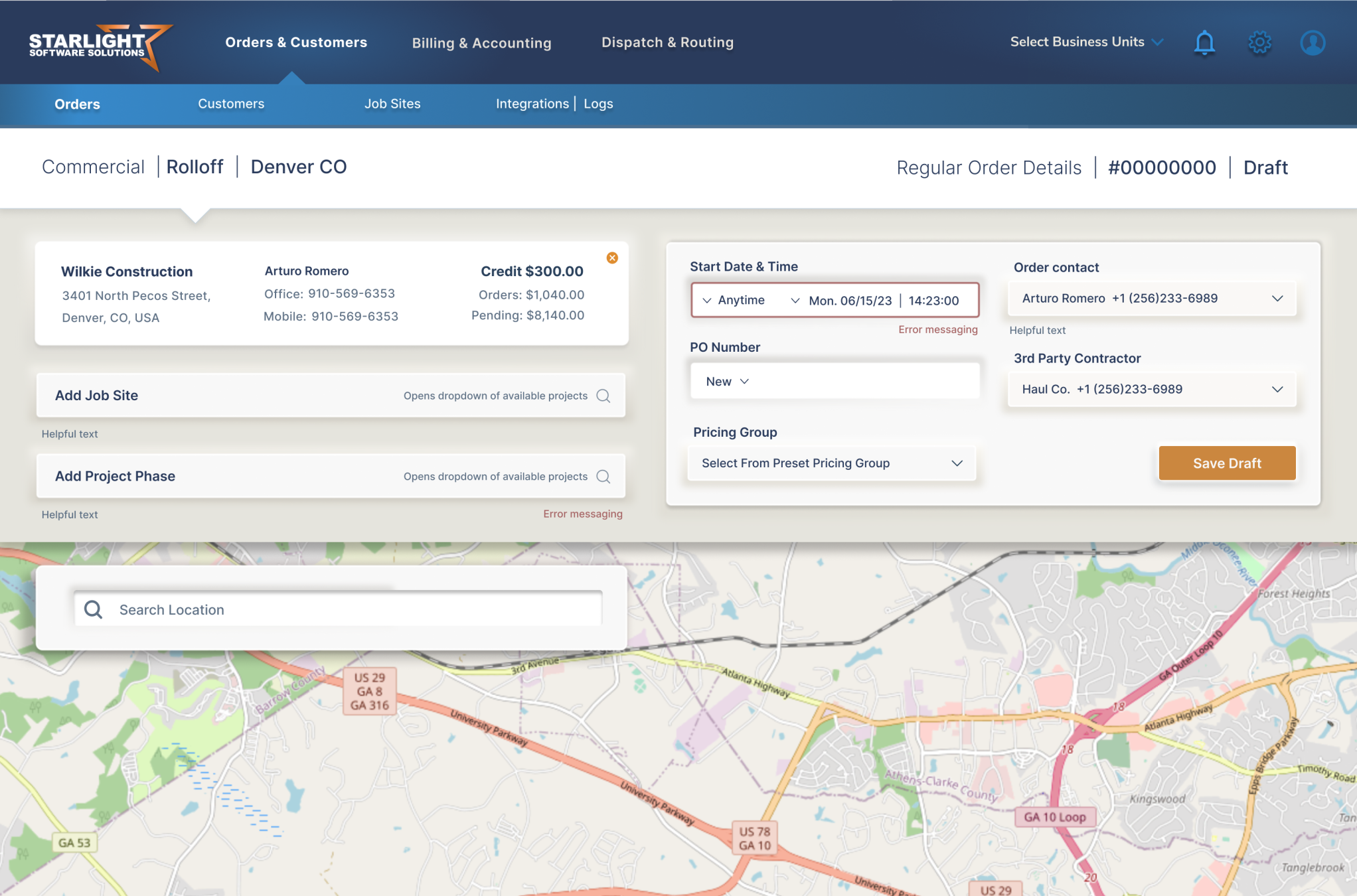 | 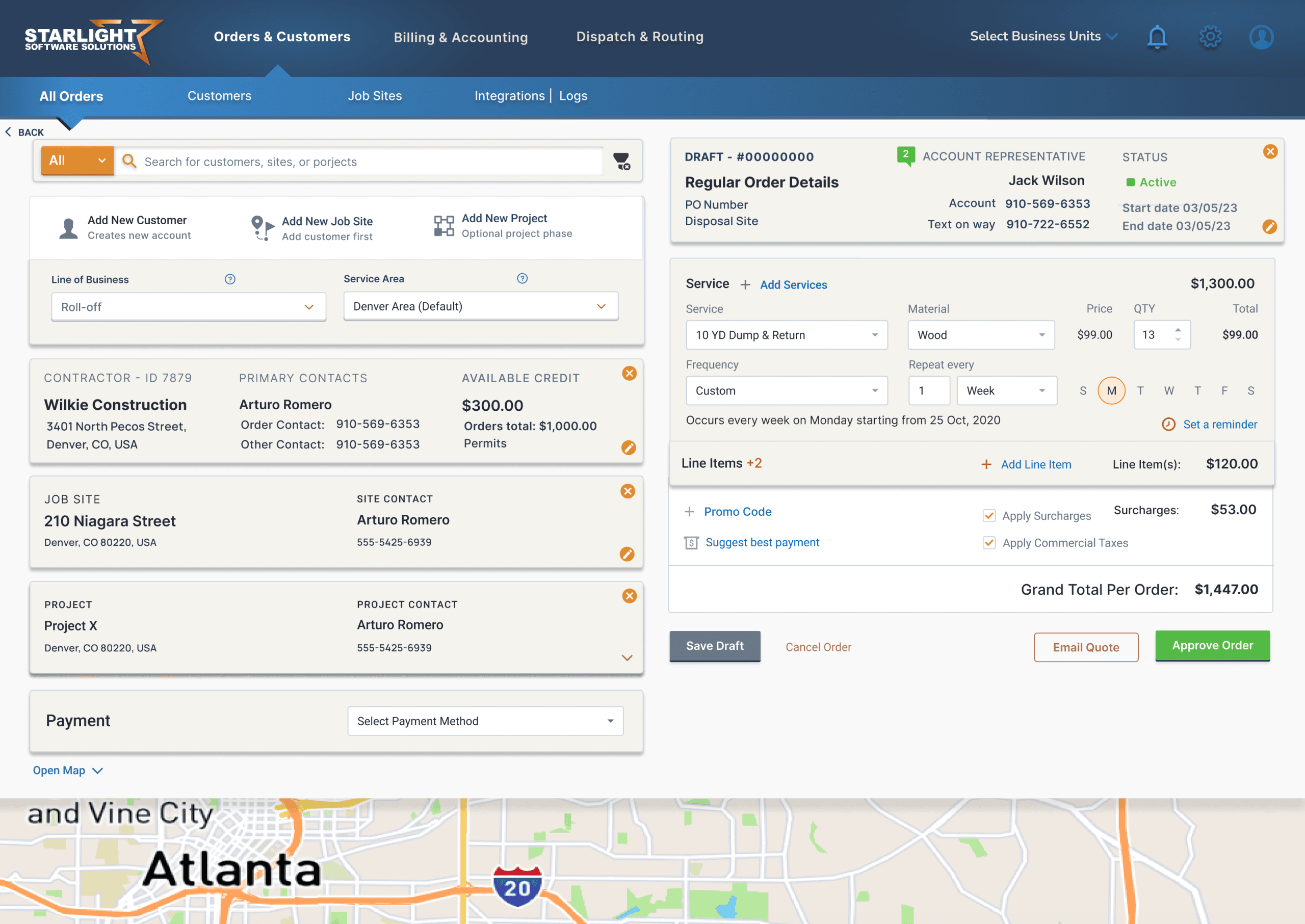 |
Dispatch
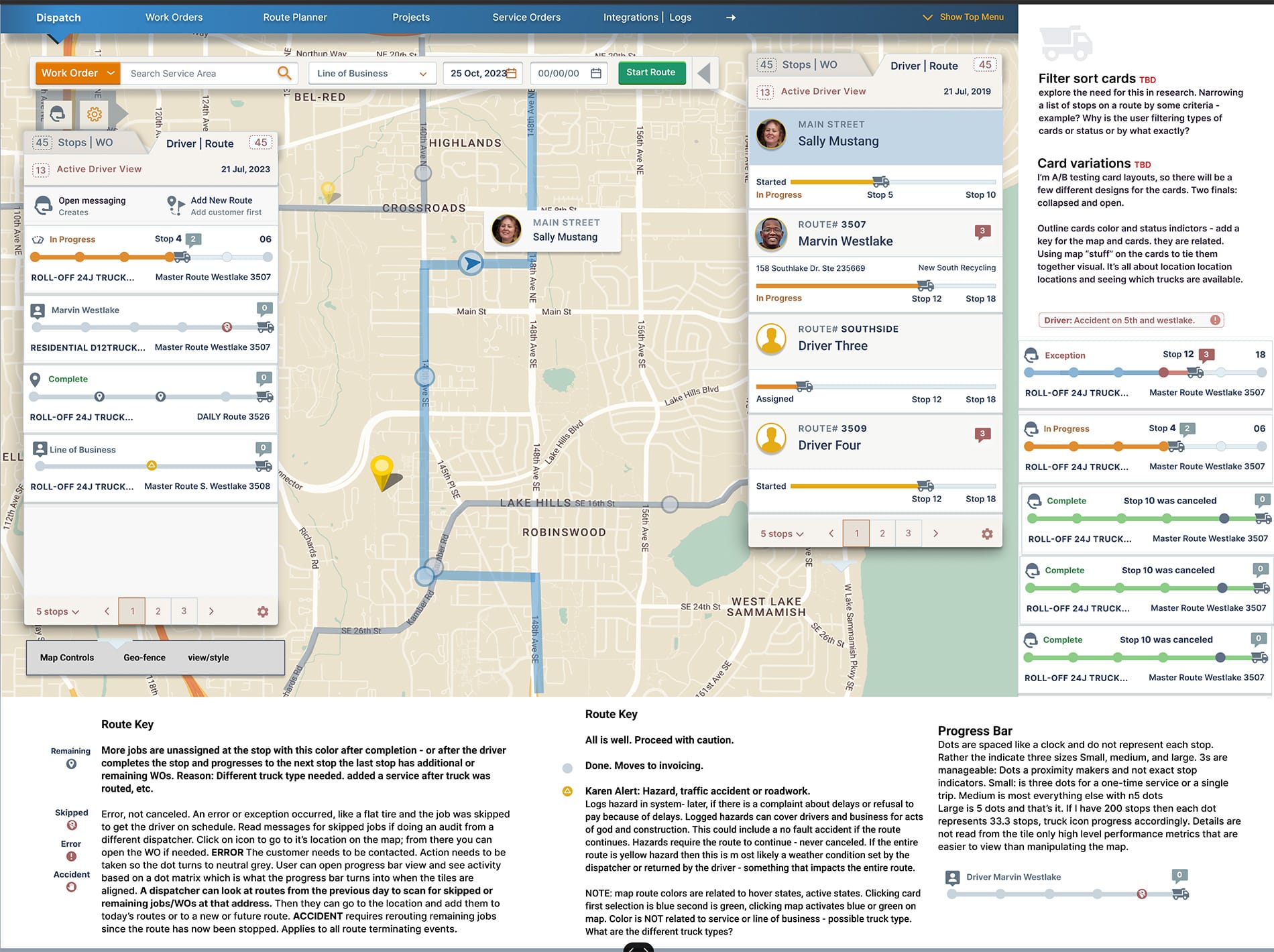
Takeaways
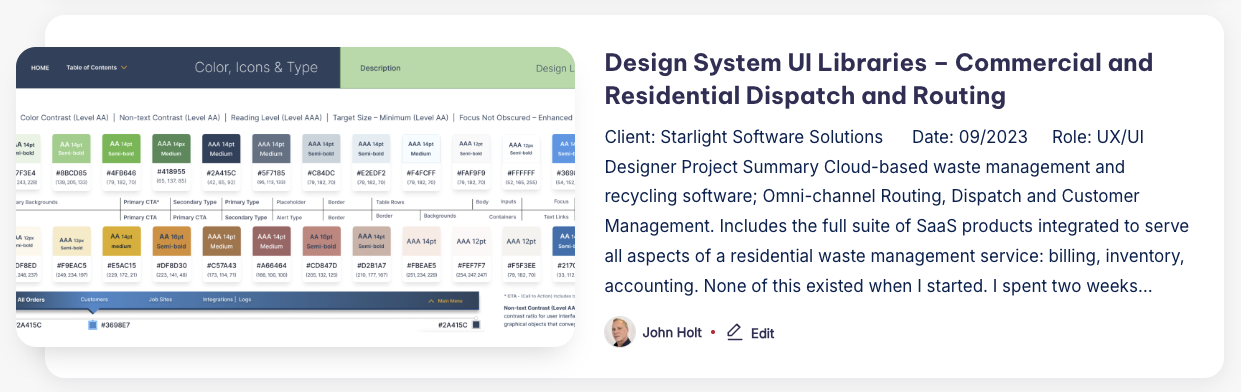
Consistent Branding and UI Styling merges with Shared Component and Pattern Libraries
Designed specifically for mapping and tracking services, dispatch and routing; as well as, oversight into the businesses assets and inventory – all styling is applied to components for automatic updates as the UI libraries improve. It’s a better choice to set this process up with development teams and check in on updates.