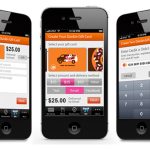
The Store Productivity Manager was designed for sales representatives and mangers at Macy’s. This first set of wireframes demonstrate a sales rep tool for pulling items off the floor that have been purchased online. Store pickup meant sales people had to take the items off the floor and hold for pick up. They needed a digital solution to locate items and connect it to sales people nearby.
Value Proposition
Additionally, allowing mangers to assign these tasks to sales people in departments, while keeping track of the inventory and performance, was a core value prop. Eventually, the program scope expanded to include other tasks.
Research
I worked with a team of UX designers and researchers to facilitate discovery phase and planning workshops; collaborate with product teams and create wireframes.
The scope expanded to include more tasks beyond in-store pick up. We started with two primary personas: individual or group. Managers are redirected to the priority assignment screen. They select priority, or urgency level, and begin assigning products or tasking like organize shelves, clear sales rack. The rest of the information is data provided from the sku or order: quantity, sizes, etc. The location is autogenerated based on store data.
Groups of assigned products will appear on the right. Edit, cancel or expedite assignments by selecting it from the list to the left. You can drag and drop to add or click selections on the right.
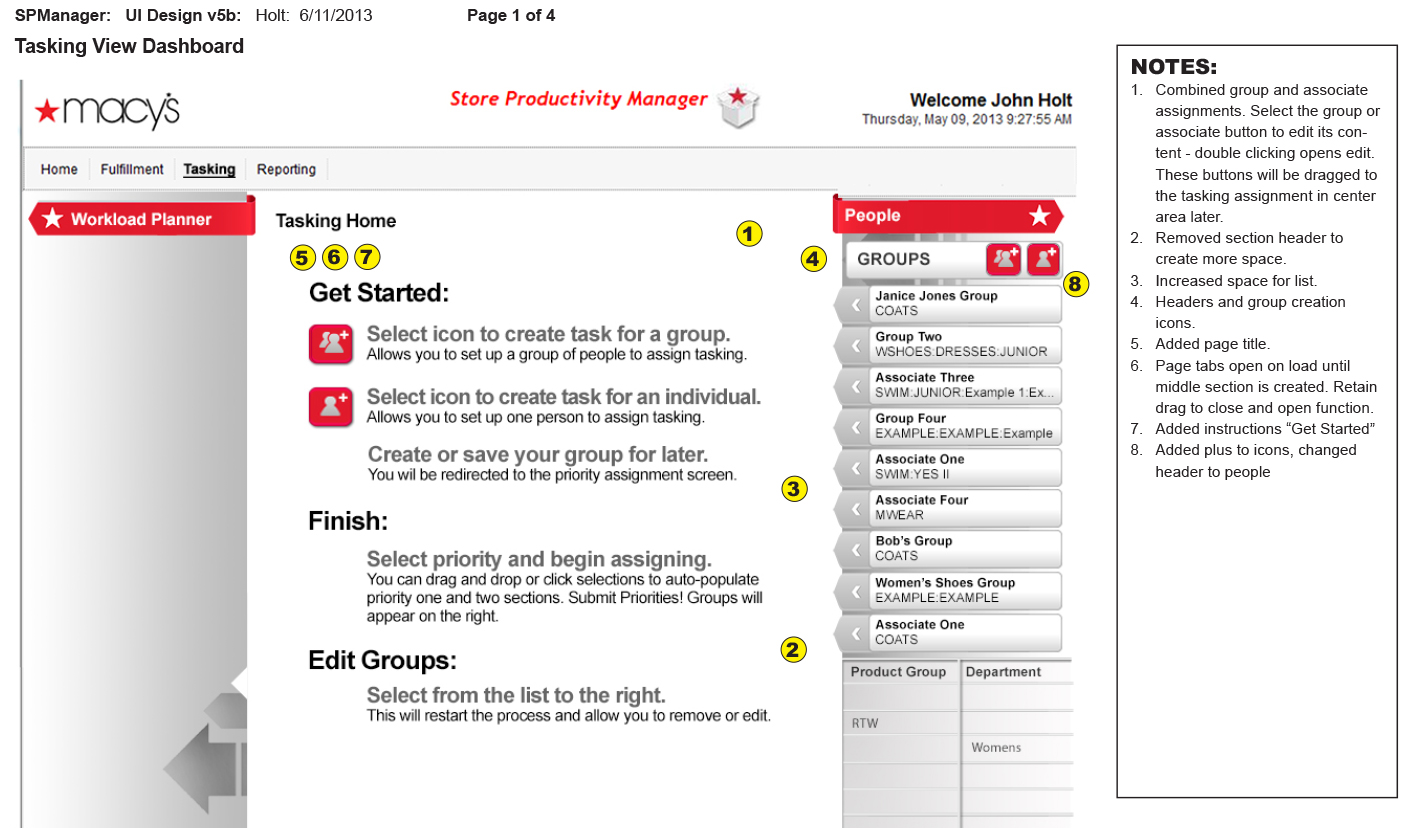
NOTES:
Combined group and associate assignments. Select the group or associate button to edit its content – double clicking opens edit. These buttons will be dragged to the tasking assignment in center area later.
Removed section header to create more space.
Increased space for list.
Headers and group creation icons.
Added page title.
Page tabs open on load until middle section is created. Retain drag to close and open function.
Added instructions “Get Started”
Added plus to icons, changed header to people
NOTES:
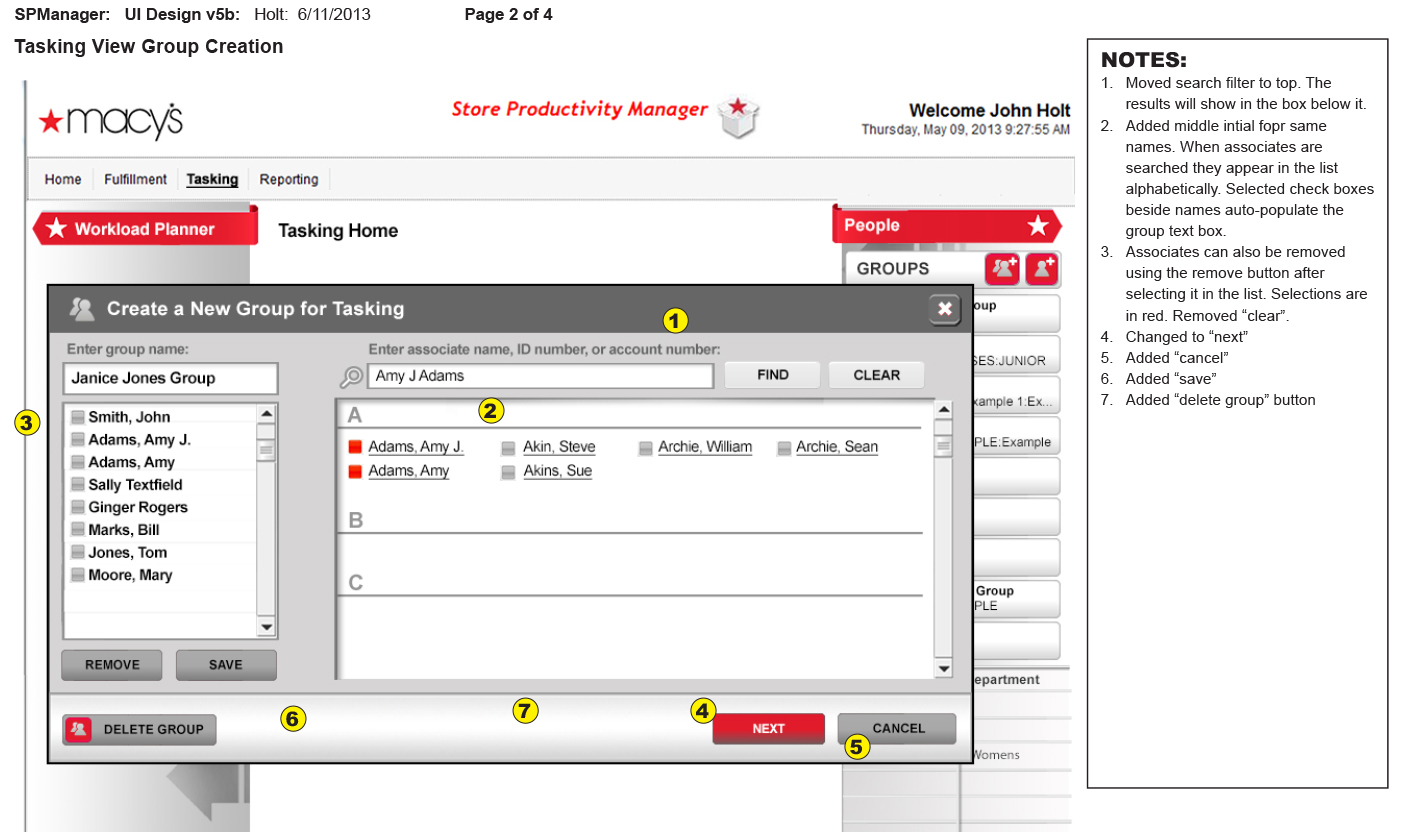
Moved search filter to top. The results will show in the box below it.
Added middle intial for same names. When associates are searched they appear in the list alphabetically. Selected check boxes beside names auto-populate the group text box.
Associates can also be removed using the remove button after selecting it in the list. Selections are in red. Removed “clear”.
Changed to “next”
Added “cancel”
Added “save”
Added “delete group”
NOTES:
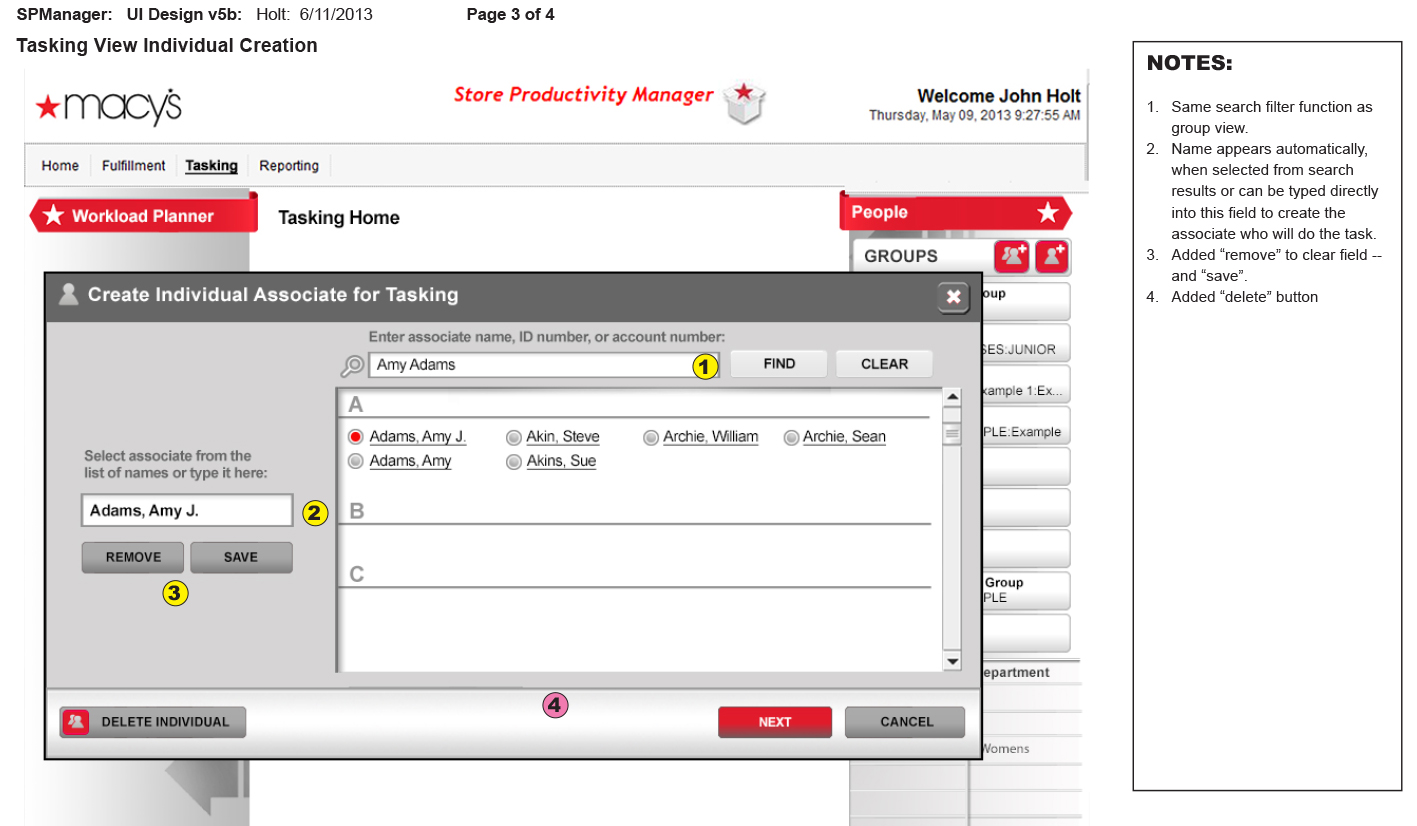
Same search filter function as group view.
Name appears automatically, when selected from search results or can be typed directly into this field to create the associate who will do the task.
Added “remove” to clear field – and “save”.
Added “delete” button
NOTES:
Same search filter function as group view.
Name appears automatically, when selected from search results or can be typed directly into this field to create the associate who will do the task.
Added “remove” to clear field – and “save”.
Added “delete” button
Task Manger Solution
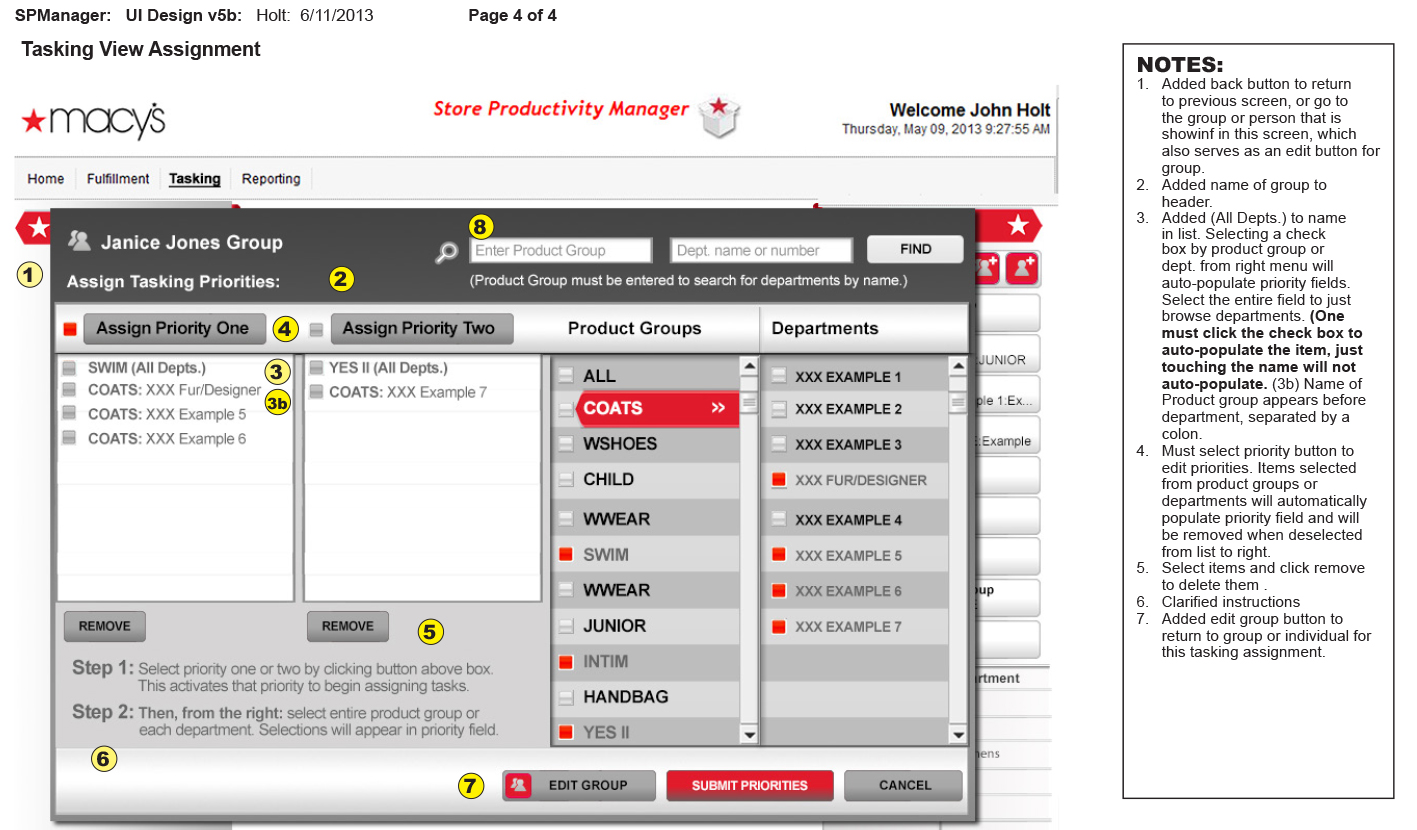
This project shows a task assignment interface for Macy’s Store Productivity Manager, designed to help managers assign task priorities to groups or individuals. Below a user selects a group (e.g., Janice Jones Group), then assign tasks by choosing priority levels (Priority One or Two). They select product groups and departments from lists, which auto-populate priority fields, requiring only one clic.
The interface includes options to remove tasks, edit groups, and submit priorities. Wireframe notes clarify functionality such as the need to click priority buttons to activate assignment, how to auto-populate fields, and navigation features like back and edit buttons. The design aims to streamline task delegation and priority management within store departments.
NOTES:
Added back button to return to previous screen, or go to the group or person that is showing in this screen, which also serves as an edit button for group
Added name of group to header.
Added (All Depts.) to name in list. Selecting a check box by product group or dept. from right menu will auto-populate priority fields. Select the entire field to just browse departments. (One must click the check box to auto-populate the item, just touching the name will not auto-populate. (3b) Name of Product group appears before department, separated by a colon.
Must select priority button to edit priorities. Items selected from product groups or departments will automatically populate priority field and will be removed when deselected from list to right.
Select items and click remove to delete them .
Clarified instructions
Added edit group button to return to group or individual for this tasking assignment.
UX/UI Designer using Agile/Lean UX and SAFe Methodologies to quickly move from concept to launch, iteratively collecting user feedback for ongoing improvements to the users’ experience; specialize in multichannel, large data-driven enterprise systems.