
Closed-loop environment (no wi-fi)
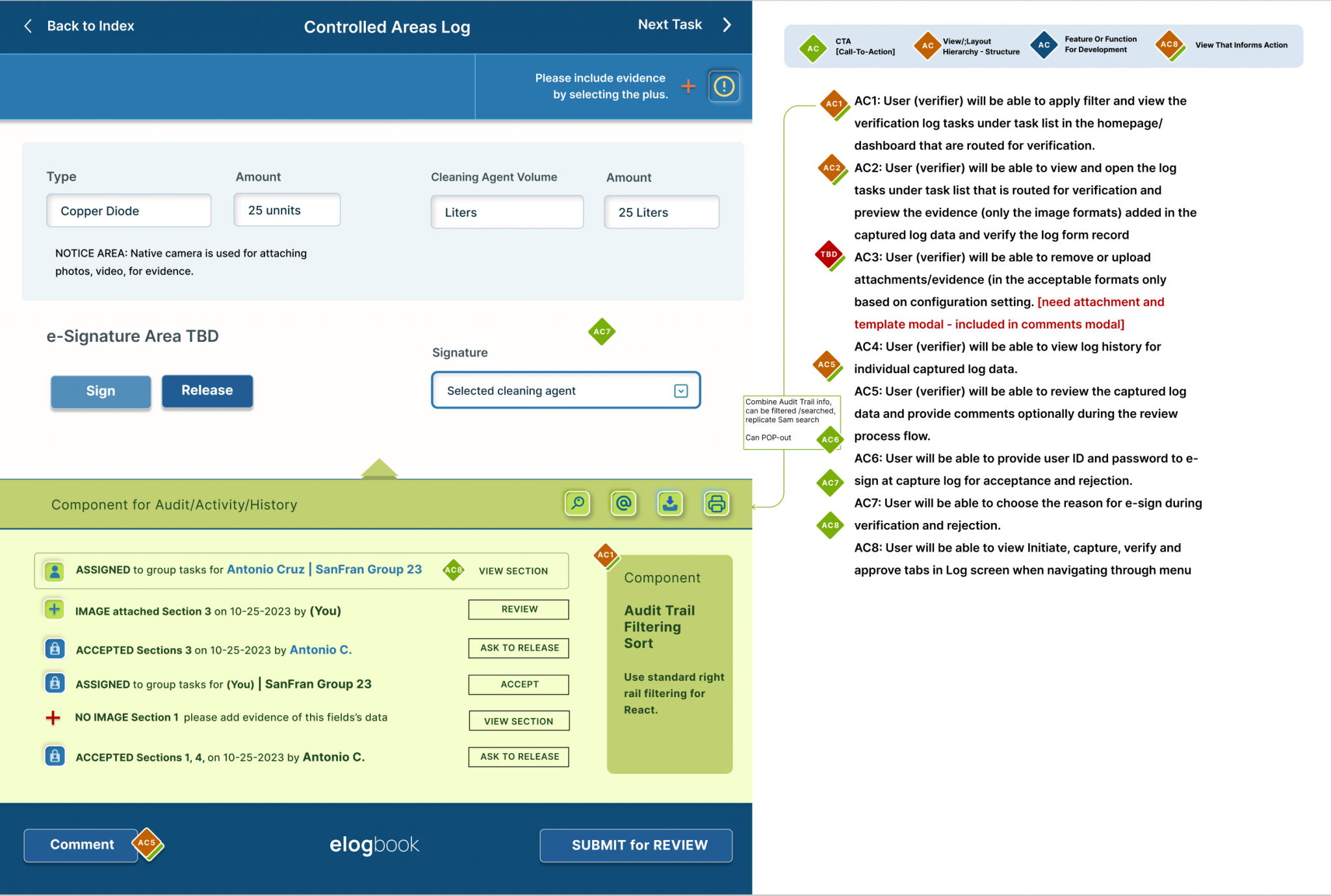
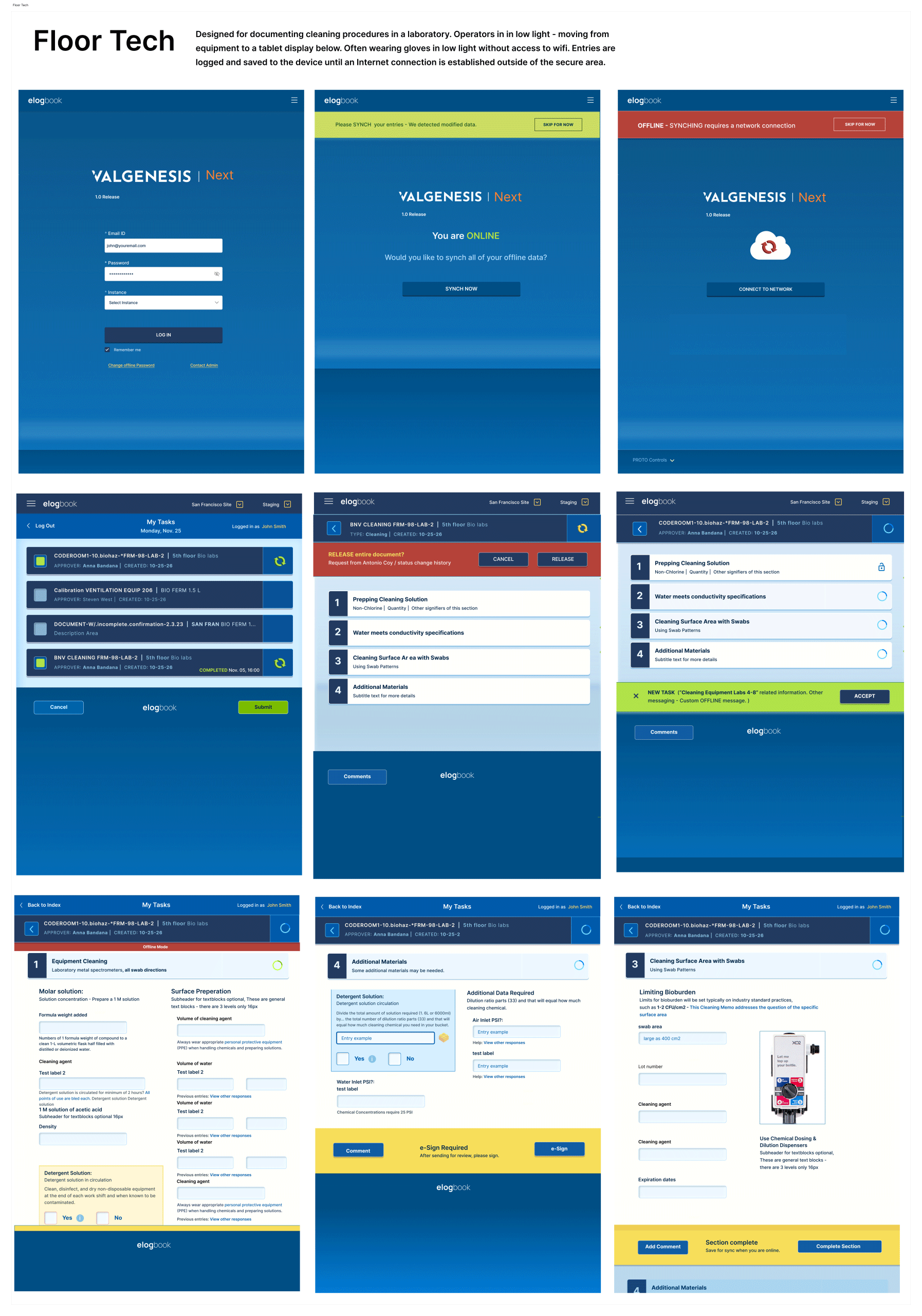
Client: ValGenesis Date: 02/2024 Role: UX Designer, UI Designer, Researcher Project Summary: eLogbook & Monitor Manager for Laboratory Goals: I need to understand how solutions are going to impact our bottom line. That’s what the client said… It’s a legitimate use case. How will conversion rates increase, what can they expect from better usability? Work Environment: Either at home or in-office at personal desk. | SummaryDesigned for technicians who are documenting cleaning procedures and incidents in a laboratory. I approached the project with many strong ideas about how document validation interfaces should work. This is a tablet-based application for an environment where there is no wi-fi. The user has to synch entries when reconnected. I think this type of experience can be leveraged for products which cannot always be connected – either for security or range limits. It’s for laboratory techs doing cleaning between processing medications, chemical substances, etc. Accuracy is a core requirement. |
New Experience for Problem Spaces
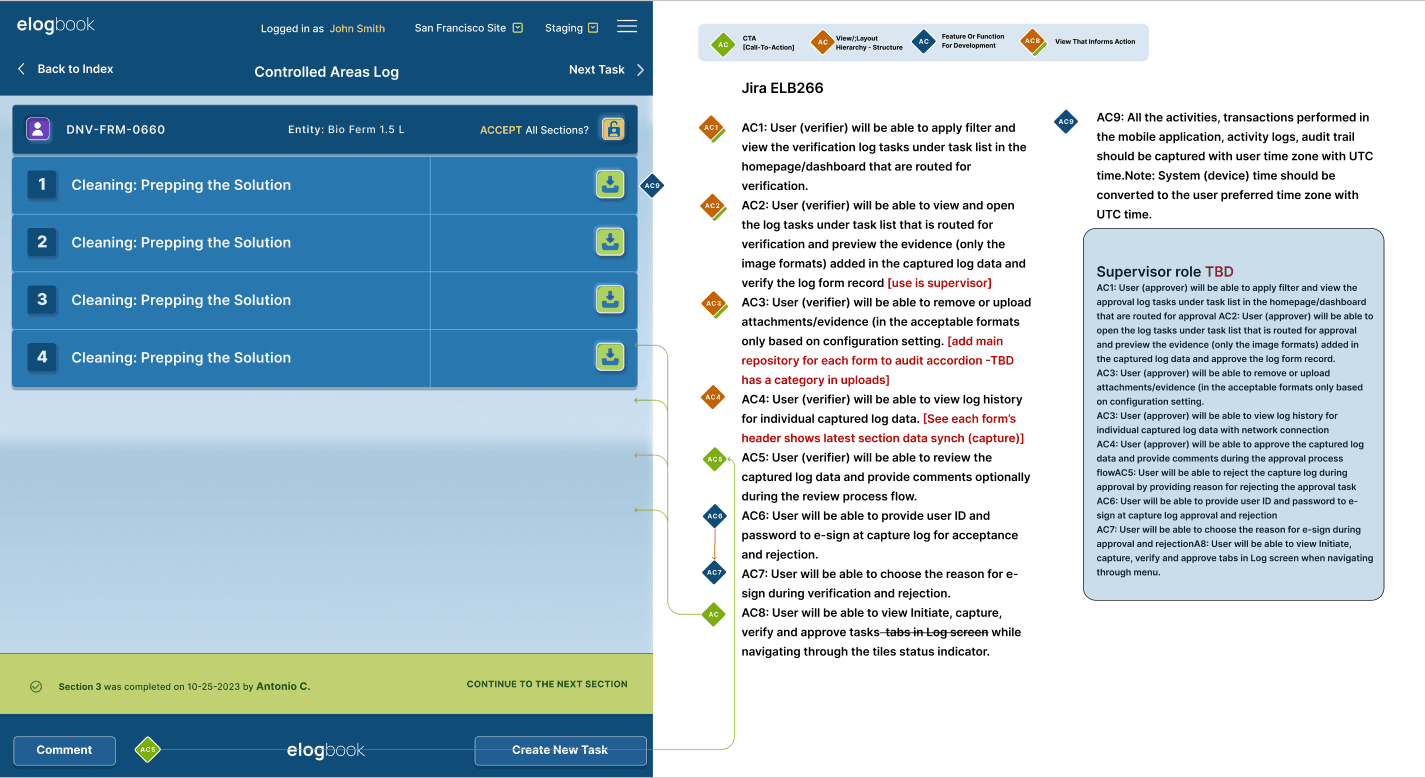
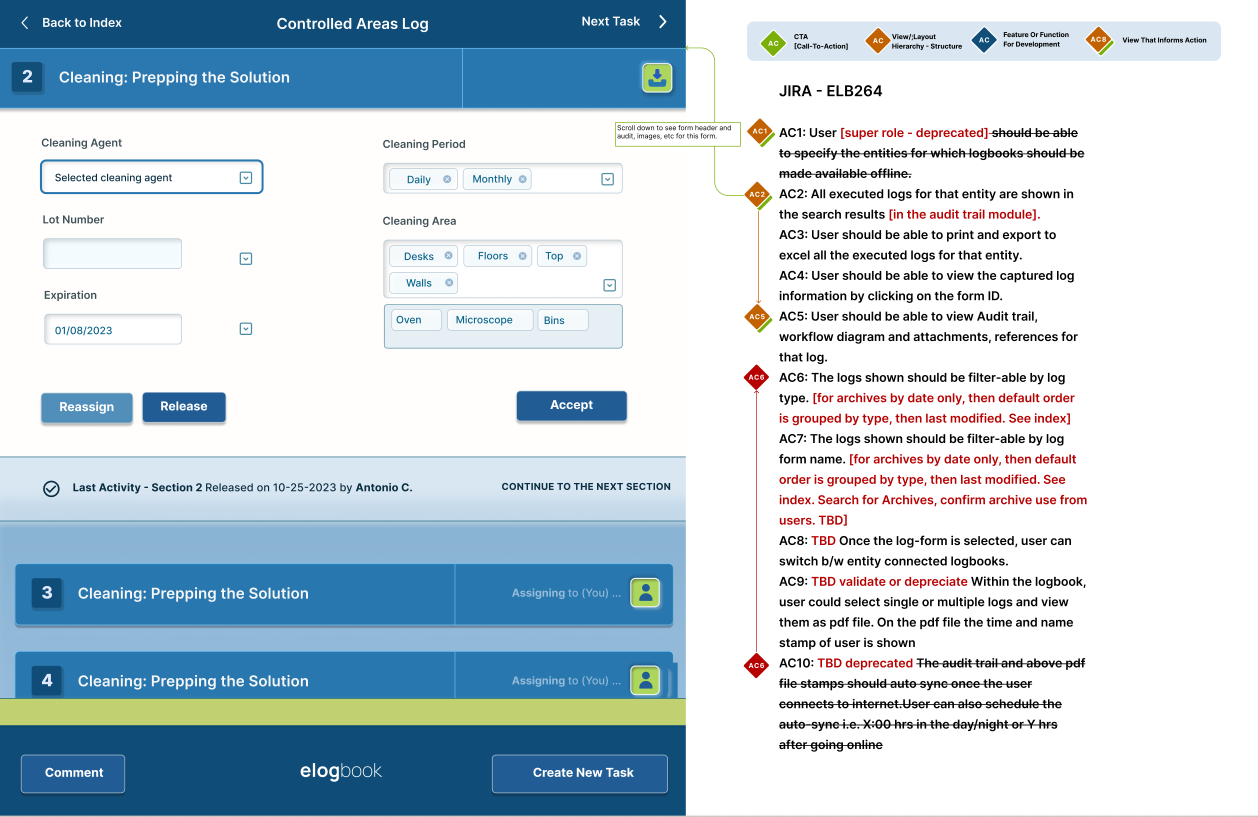
Larger touch space, bold dark mode for less eye adjustment between environment and tablet. Styled for users working in varying light, moving from equipment to a tablet display. Often technicians are wearing gloves in low light, touchspaces are wide for easy targeting. | Entries are logged and saved to the device until an connection is established outside of the secure area. Creating a roadmap tailored to the specific needs of pharmaceutical production; transforming traditional quality control strategies into digital frameworks crucial for staying competitive and efficient. |
View interactive prototype for Closed Loop Flow
Takeaways
#1 Big challenges require small steps Take small steps, because big changes cannot be communicated in prototypes without loosing the audience. #2 Be open to research and let ideals go I thought too digitally and approached the product with concrete ideas about the results, failing to correctly take into account some needs and challenges of the target group. This course was corrected with more persona refinement. There was a real under representation of the multiple users on the application. Make personas as real as possible. #3 Journey Maps are my new best friend Especially as it gets more complex, journey mapping is very helpful, on the one hand to put a comprehensive process on paper and to uncover problematic “Why” are we doing this and provides a basis for good collaboration. | #4 Interview questions chosen unfavorably Looking back, I would rebuild the interviews differently. Research used too many of the questions where interviewees had to imagine what the optimal solution might be (for example, “describe your thoughts…”). Especially through the Aruelius app It would have needed further interviews with actual users of Valgenesis legacy and mobile management (as well as form builders) to create a more complete picture. The users asked smart questions, which led to further improvements. Collaborating with product on a unique problemI used hi-fi wires and interactive prototypes to workshop each story and further refine the features. eLogBook is used in labs and closed protected environments. Being off-line posed a unique problem for the design, the app had to cache entries until a connection could be made.
|